
Website user experience is defined as the total perception, emotion, and response a visitor has while interacting with your website. ISO 9241 defines UX as encompassing emotions, behaviors, and accomplishments during and after use of a system. That definition matters because it confirms UX is not just about how a site looks. It covers how fast pages load, how clearly content is organized, and whether visitors can complete their goals without friction. For website owners and digital marketers, understanding what is website user experience is the first step toward turning more visitors into real inquiries and customers.
What is website user experience made of?
Website user experience is built from several overlapping components, each affecting how a visitor feels and behaves on your site.
Visual appeal and loading speed are the first filters every visitor applies. Users form an opinion about a website’s visual appeal in as little as 0.05 seconds. That means your site’s credibility is judged before a single word is read.

Navigation structure determines whether visitors find what they need or leave in frustration. Clear menus, logical page hierarchies, and consistent labeling reduce what designers call cognitive load. The less a visitor has to think about where to click, the longer they stay.
Content relevance and readability shape whether visitors trust you enough to act. Short paragraphs, plain language, and well-placed headings all contribute to a positive reading experience. Information architecture, the way content is grouped and labeled, decides whether your site feels organized or chaotic.
Interactive elements and mobile responsiveness cover buttons, forms, and touch targets. A quote request form that works perfectly on a desktop but breaks on a phone loses you real business. Mobile responsiveness is not optional for any service business in 2026.
Emotional factors are the least visible but often the most powerful. Trust signals like reviews, clear contact details, and professional photography influence how safe a visitor feels before reaching out. UX includes emotional and subjective experiences beyond pure usability, which is why two sites with identical navigation can feel completely different to the same visitor.
-
Visual appeal and load speed create the first impression
-
Navigation clarity reduces friction and keeps visitors moving
-
Content quality and structure build trust and authority
-
Mobile responsiveness protects inquiries from phone users
-
Emotional trust signals convert hesitant visitors into leads
Pro Tip: Run your site through Google PageSpeed Insights before touching any design element. Speed problems kill UX faster than any visual flaw.
How does UX affect visitor behavior and business results?
Poor UX does not just annoy visitors. It costs you money in measurable ways.
47% of users expect a page to load in two seconds or less. A one-second delay cuts conversions by 20% and satisfaction by 16%. For a tradie website getting 200 visits a month, that single delay could mean dozens of lost quote requests every year.
29% of consumers have stopped buying from a brand because of poor website experience. That figure represents real customers who found a competitor easier to deal with. The loss is permanent in most cases because those visitors rarely return.
| UX Factor | Business Impact |
|---|---|
| 1-second page delay | 20% drop in conversions |
| Poor mobile experience | 32% increase in bounce rate |
| Confusing navigation | Higher exit rates before contact |
| Weak trust signals | Lower inquiry and callback rates |
| Strong UX overall | Better SEO ranking and visibility |
Good UX improves SEO ranking by lowering bounce rate and increasing time on site. Search engines treat both signals as indicators of content quality. A site that visitors leave immediately tells Google the page did not satisfy the search. A site that holds attention earns higher placement over time.
“UX smooths the path between a visitor’s intent and their action. When that path is clear, conversions follow naturally.”
The return on investment from UX improvements compounds. A faster, clearer site earns more inquiries today and ranks higher tomorrow, creating a cycle that generic cosmetic updates cannot replicate.
What is the difference between UX and UI in web design?
UX and UI are related but they are not the same thing. Confusing them leads to expensive mistakes.
User interface (UI) refers to the visual layer of a website. It covers colors, typography, button styles, icons, and layout. UI is what you see. A skilled UI designer makes a site look polished and consistent.
User experience (UX) is broader. It covers the entire interaction a visitor has with your site, from the moment they land to the moment they leave or convert. UI is one input into UX, but UX also includes page speed, content clarity, form logic, and the emotional response a visitor carries away.
Here is a practical example. A plumber’s website might have a beautiful UI with professional photography and a clean color palette. But if the “Get a Quote” button is buried at the bottom of a long page, the UX fails. The visitor gives up before converting. The visual design did not save the outcome.
UX is analytical work that identifies friction points like slow pages, multi-step forms, and confusing navigation. Removing those friction points delivers higher ROI than cosmetic changes alone. That is the core distinction: UI makes things look good, UX makes things work.
-
UI = colors, fonts, buttons, and visual layout
-
UX = the full interaction including speed, flow, and emotional response
-
Great UI with poor UX still loses visitors
-
UX requires data and testing, not just design instinct
-
Both disciplines work best when they inform each other
Pro Tip: Before redesigning your site’s visuals, check your analytics for the pages with the highest exit rates. Fix those flows first. The data will tell you where UX is breaking down.
How to improve web experience on your site
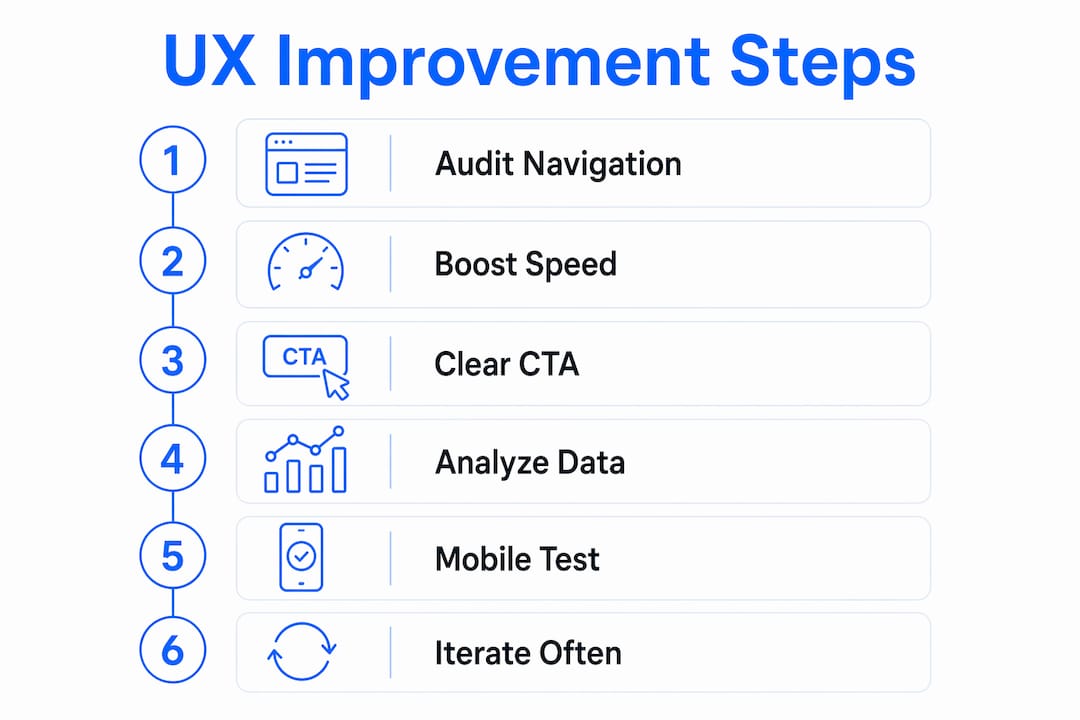
Improving web experience is a process, not a one-time project. The most effective approach follows a clear sequence.
1. Audit your current navigation. Walk through your site as a first-time visitor. Can you find your contact details in under 10 seconds? Can you request a quote in three clicks or fewer? If not, your navigation needs simplifying. Remove any menu items that do not directly serve a visitor’s goal.
2. Fix page speed before anything else. Compress images, reduce unnecessary plugins, and use a reliable hosting provider. The most critical UX phase is pre-design analytic work that identifies barriers to user goals. Speed is almost always the first barrier to address.
3. Make your calls to action obvious. Every page should have one clear next step. For a service business, that is usually a phone number, a quote form, or a booking button. Place it above the fold so visitors see it without scrolling. Use plain language like “Call Now” or “Get a Free Quote” rather than vague phrases like “Learn More.”
4. Use analytics to find friction points. Google Analytics shows you which pages have high exit rates. Heatmap tools show where visitors click and where they stop scrolling. Continuous tracking via heatmaps and analytics is critical for refining user flows after launch. Data removes guesswork from every decision.
5. Test on mobile every time you make a change. Over half of web traffic comes from mobile devices. Test your contact forms, buttons, and navigation on a real phone, not just a browser preview. A form that requires pinching and zooming on mobile will lose you inquiries.
6. Iterate regularly. UX is not finished at launch. Review your analytics monthly. Identify the page where visitors most often leave before contacting you. Make one targeted change. Measure the result. Repeat. This cycle of testing and refinement is what separates sites that grow from sites that stagnate.
Pro Tip: Set up a simple goal in Google Analytics to track contact form submissions. Without that data, you cannot measure whether any UX change actually improved your results.
Key Takeaways
Good website UX is the single most direct lever a website owner has over visitor behavior and business outcomes.
| Point | Details |
|---|---|
| UX is broader than visual design | It covers speed, navigation, content, and emotional response, not just aesthetics. |
| Speed directly affects conversions | A one-second page delay cuts conversions by 20%, making speed the first UX priority. |
| Poor UX loses real customers | 29% of consumers have abandoned a brand permanently due to bad website experience. |
| UX and SEO are linked | Lower bounce rates and longer time on site from good UX improve search rankings. |
| Iteration beats perfection | Ongoing analytics review and targeted fixes outperform one-time redesigns. |
Why most website owners get UX backwards
Most website owners I work with treat UX as the final coat of paint. They build the site, add the content, and then ask whether it looks good. That order is wrong. UX decisions made after the fact are expensive to undo and rarely as effective as getting the structure right from the start.
The most common mistake I see is prioritizing visual polish over functional clarity. A site can look stunning and still fail to generate a single inquiry if the phone number is hard to find or the quote form has too many fields. Business leaders often mistake UX for cosmetic design, but it is a data-backed discipline that connects user needs to business outcomes.
The second mistake is treating launch as the finish line. The sites that consistently generate inquiries are the ones whose owners check their analytics, notice where visitors drop off, and make changes. That habit costs nothing but time and pays off every month.
UX also integrates directly with your marketing. A Google Ads campaign sending traffic to a slow, confusing landing page wastes every dollar you spend. The ad gets the click. The UX determines whether that click becomes a call. Getting both right is what makes digital marketing actually work for a service business.
— Lachie
How Baylineweb builds sites with UX at the core
Baylineweb designs websites for tradies and service businesses in Geelong with UX built into every decision, not added at the end. Every build starts with the visitor’s goal: finding your number, requesting a quote, or confirming you serve their area.
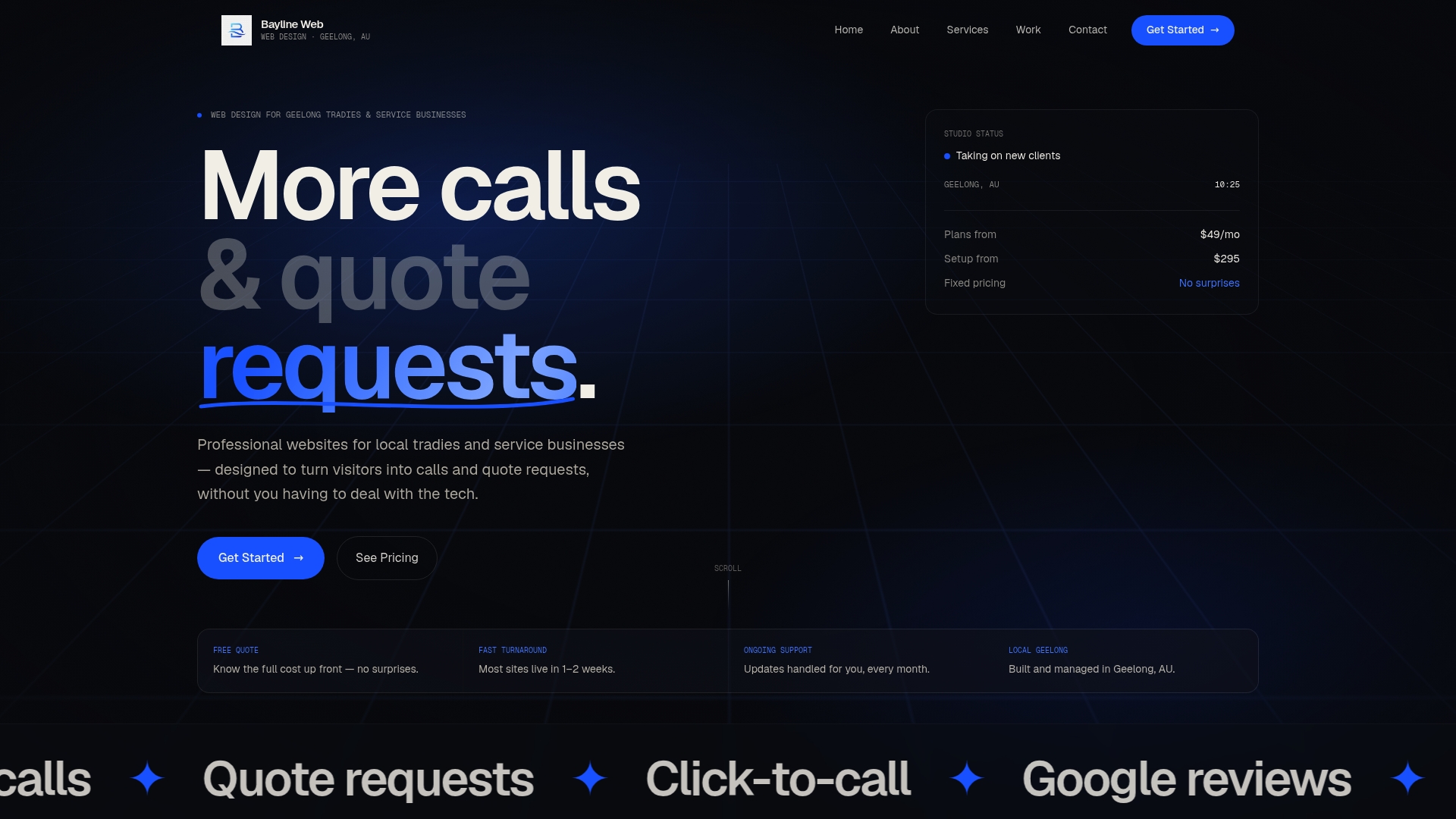
The demo website builds show exactly how click-to-call buttons, mobile-first layouts, and clear quote forms work together to turn visitors into real inquiries. Each project is built one-on-one with the client, so the structure reflects how your customers actually think and search. If you want a site that works as hard as you do, see the full range of services Baylineweb offers for local businesses.
FAQ
What is website user experience in simple terms?
Website user experience is how a visitor feels and functions when using your site. It covers speed, navigation, content clarity, and whether they can complete their goal, like calling you or requesting a quote, without friction.
Why does website UX matter for small service businesses?
Poor UX costs you real customers. 29% of consumers abandon a brand permanently after a bad website experience, and most never return to give you a second chance.
How does page speed affect user experience?
Page speed is a direct UX factor. 47% of users expect pages to load in two seconds or less, and a one-second delay reduces conversions by 20%.
What is the difference between UX and UI?
UI is the visual design layer, covering colors, fonts, and buttons. UX is the full interaction experience, including speed, content flow, and emotional response. Good UI contributes to UX but does not replace it.
How often should I review my website’s UX?
Review your analytics monthly and make at least one targeted improvement per quarter. Continuous post-launch refinement using heatmaps and analytics is what keeps a site performing over time.